
Manual & Pro Tips
Welcome to Artefekt, the artisanal camera. Artefekt offers endless creative expression. Transform your subjects into scroll-stopping, original artworks. Please tag your creations with #artefekt.app
Artefekt consists of 3 screens: Camera, Effects, and Gallery.
Camera
Artefekt isn't a burst-shooting app. It's designed for slow, intentional image creation. Its effect engine requires a lot of processing power and bypasses much of the iPhone's imaging pipeline. Give the app a beat between shots for best performance.
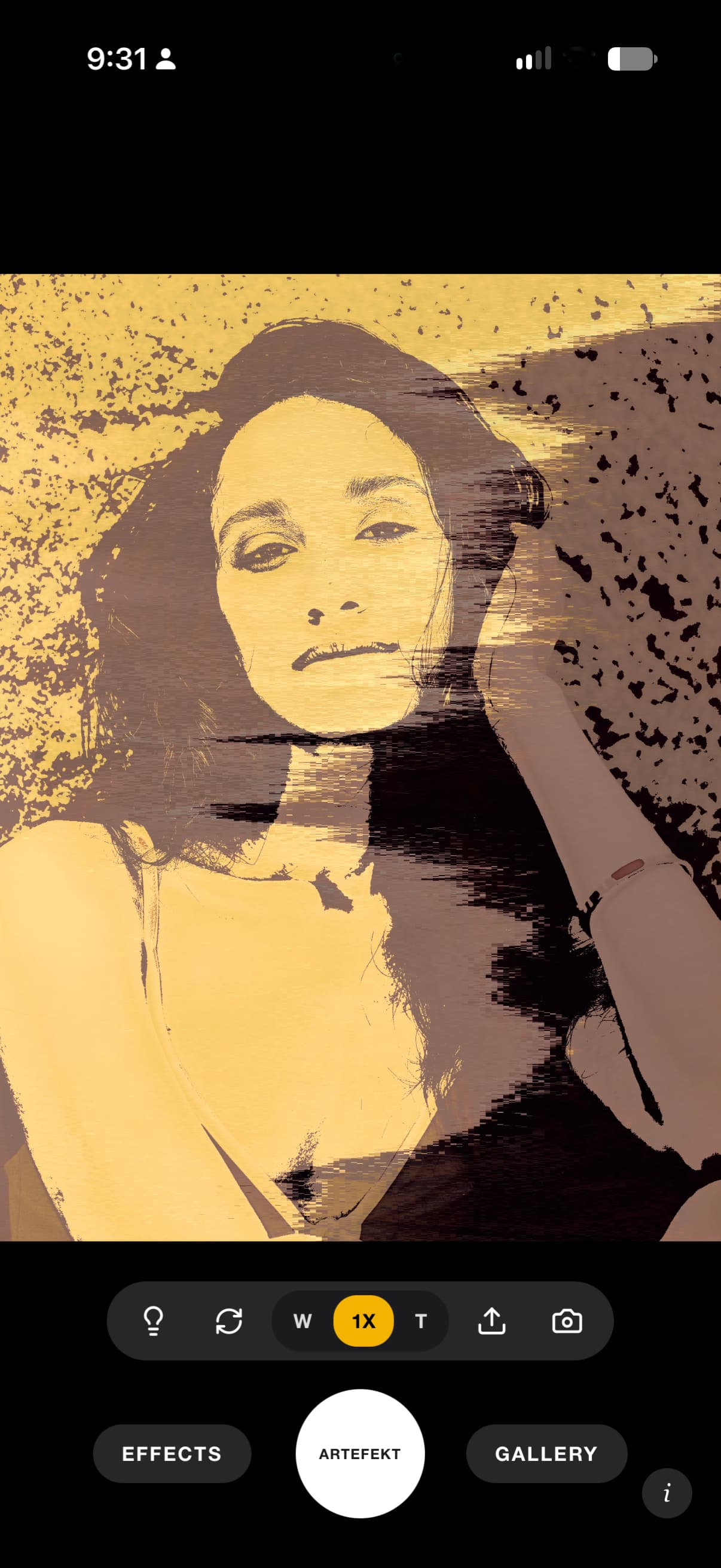
Photos render at 12mp in 4:3 ratio while videos are limited to 10 seconds at 9:16. The camera offers access to wide, 'normal', telephoto and front lenses.
As you shoot, images populate Artefekt's gallery, as well as the iPhone camera roll. Images deleted from the gallery will also be deleted from the camera roll. Tap the upload icon in the camera nav bar to upload an existing photo and run it through the same full effects engine.
Effects, Enhance & Styles
Effects
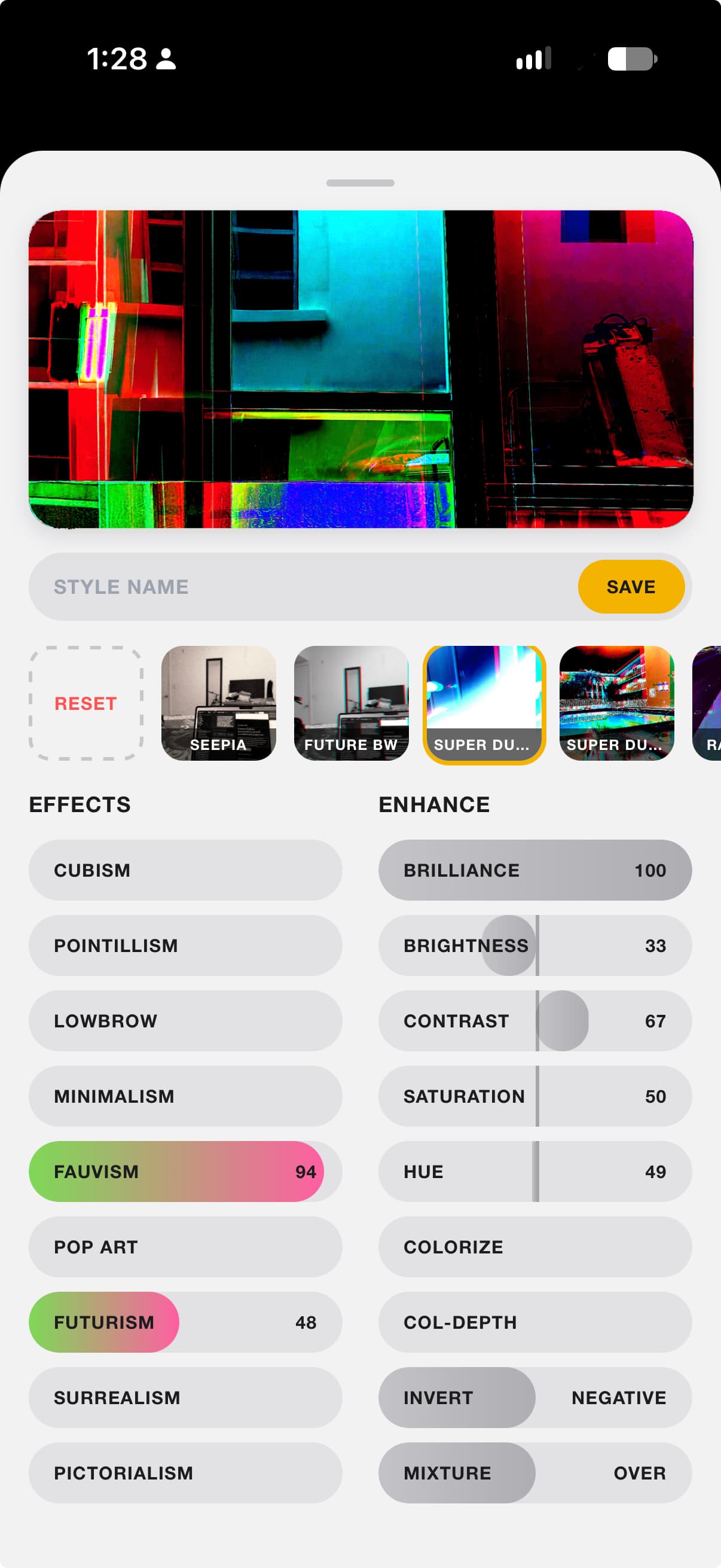
EFFECTS are hand-tuned processes that are computed and rendered directly on the iPhone. No network required. We named them for the art movements that inspired them. Try one at a time or combine as many as you want; there's no limit, and no single “correct” combination.
Enhance
ENHANCE brings tonal adjustments to fine-tune your masterpiece. Note that “colorize” requires “col-depth” to adjust its saturation. “Mixture” places the enhance layer above or below the effects layer adding a gazillion more possible styles.
Styles
STYLES let you capture your favorite looks for later. Name, save, and select your styles below the preview screen. Double tap a saved style to delete it. Once loaded, a style can be further modified to suit your current light or subject. Be sure to save it with a new name if you plan to use the modified style again.
Preview
PREVIEW screen at top of effects panel gives you a cropped, live view of the style you are creating. When you are ready to shoot, slide the EFFECT panel out of the way and go!
Gallery
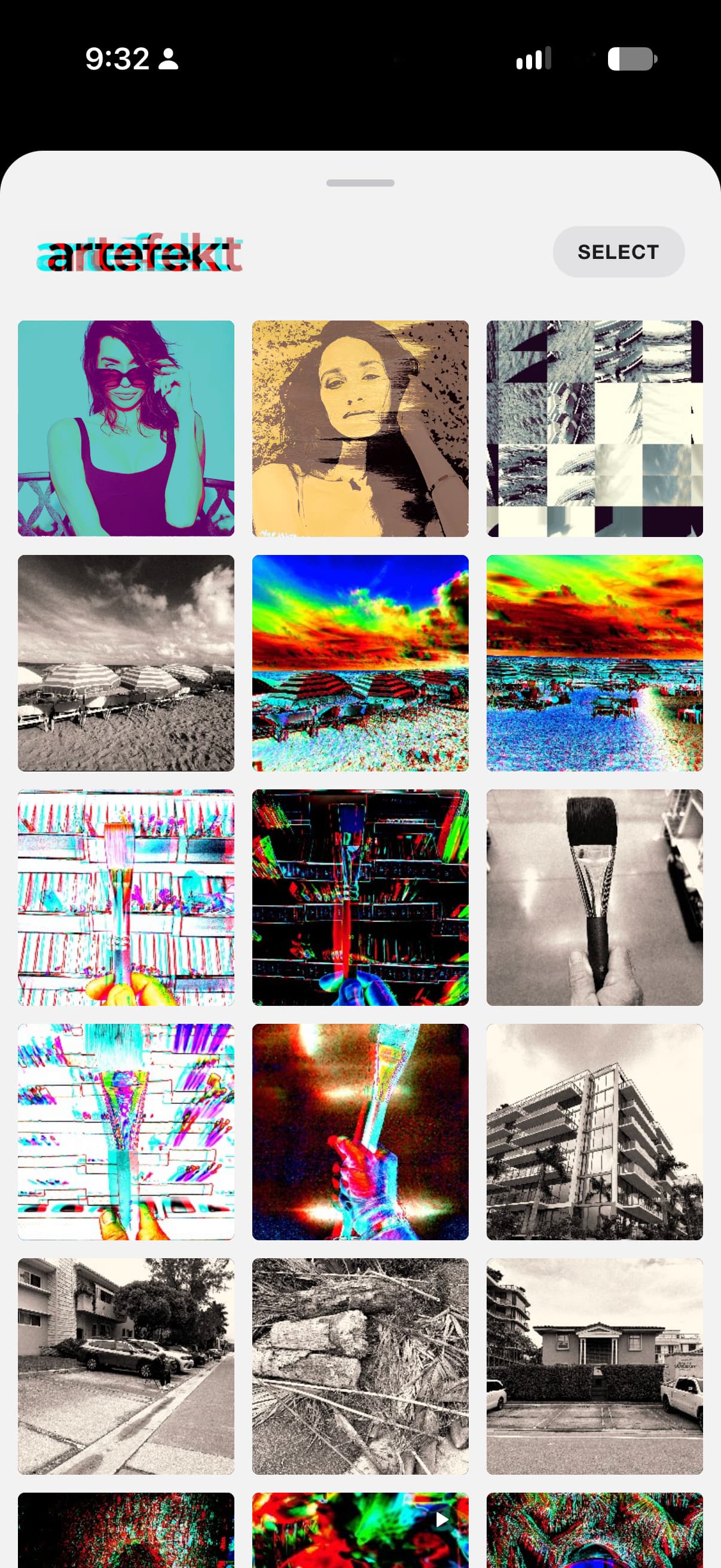
The in-app gallery organizes your recent creations. Tap any artwork to inspect it in full screen, share it directly to your favorite platforms via the native iOS share sheet, or prune your library.
Remember that deleting an item inside the Artefekt gallery will prompt iOS confirmation to also remove it from your iPhone Photos library.
- •Shoot slow. The effects engine needs time to process and render your creation. Shooting fast can overwhelm the imaging pipeline. There is a workaround if you like to blast lots of pictures: Shoot with your iPhone's camera, upload and process your selects in Artefekt. We will love you just the same.
- •A little bit goes a long way when combining effects. Some effects complement each other well, while some combinations may not. Just sayin'. You do you.
- •The enhance tools do more than just adjust tones. Use the saturation tool, a bump in contrast and a hint of colorize to create a vintage b/w style. Finish it with the Pictorialism effect for simulated film grain. Mixture flips the script by sending the enhance layer before or after the effects layer. Invert gives you an easy way to scan your film negatives. There's so much more waiting for you to explore in Artefekt.
- •“Sweeten” your images in an external editor like Snapseed or the iPhone's camera roll. A nice crop, and a bump in brightness, contrast and saturation might take your creation to the next level.